

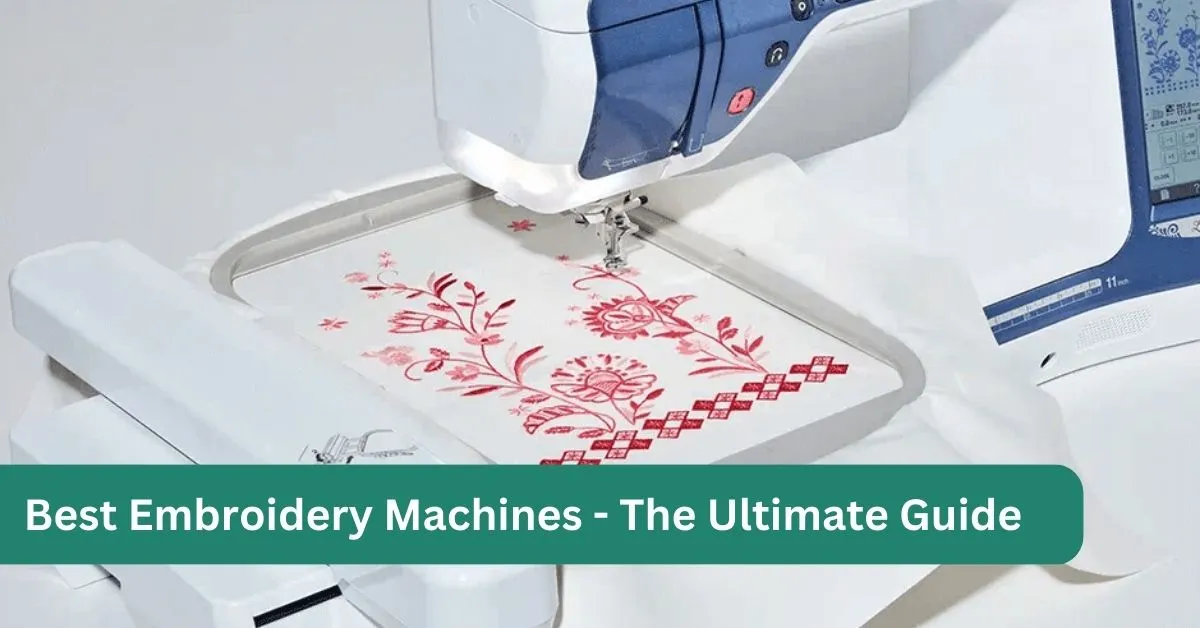
Finding the best embroidery machine isn’t as simple as choosing the one with the most built-in designs or the highest price tag. The right machine depends on what you want to create, how often you’ll use it, and how much room you have to grow as your skills improve.
If you’ve started researching embroidery machines, you’ve probably noticed how quickly things become confusing. One model offers Wi-Fi connectivity, another has a larger embroidery area, and a third includes hundreds of built-in designs. Before long, you’re comparing features without knowing which ones actually matter.
The good news is that most people don’t need the most expensive machine on the market. They need one that matches their projects, budget, and experience level.
We spent hours comparing today’s most popular embroidery machines, evaluating them based on embroidery quality, ease of use, reliability, software compatibility, available hoop sizes, long-term value, and overall ownership experience. Decorating baby clothes calls for a different machine than quilting oversized blocks or running a small embroidery business, and this guide breaks down which models fit which goals.
If you’re still learning how embroidery machines work, it helps to get comfortable with the basics first: how to pick a machine that fits your needs, how the day-to-day operation works, and whether a regular sewing machine can embroider at all. Once those fundamentals click, the comparisons below will make a lot more sense.
Table of Contents
- 1. Comparison Table
- 2. Why You Can Trust The Sewing Advisor
- 3. How We Evaluate Embroidery Machines
- 4. Detailed Reviews of the Best Embroidery Machines
- 5. 3 Brother PE900 - best Embroidery Machine for Beginners
- 6. 4 Brother SE700 - best Sewing and Embroidery Combination Machine
- 7. 5 Janome Memory Craft 550E - best Embroidery Machine for Home Business
- 8. 6 Brother NQ1700E - bestEmbroidery Machine for Large Designs
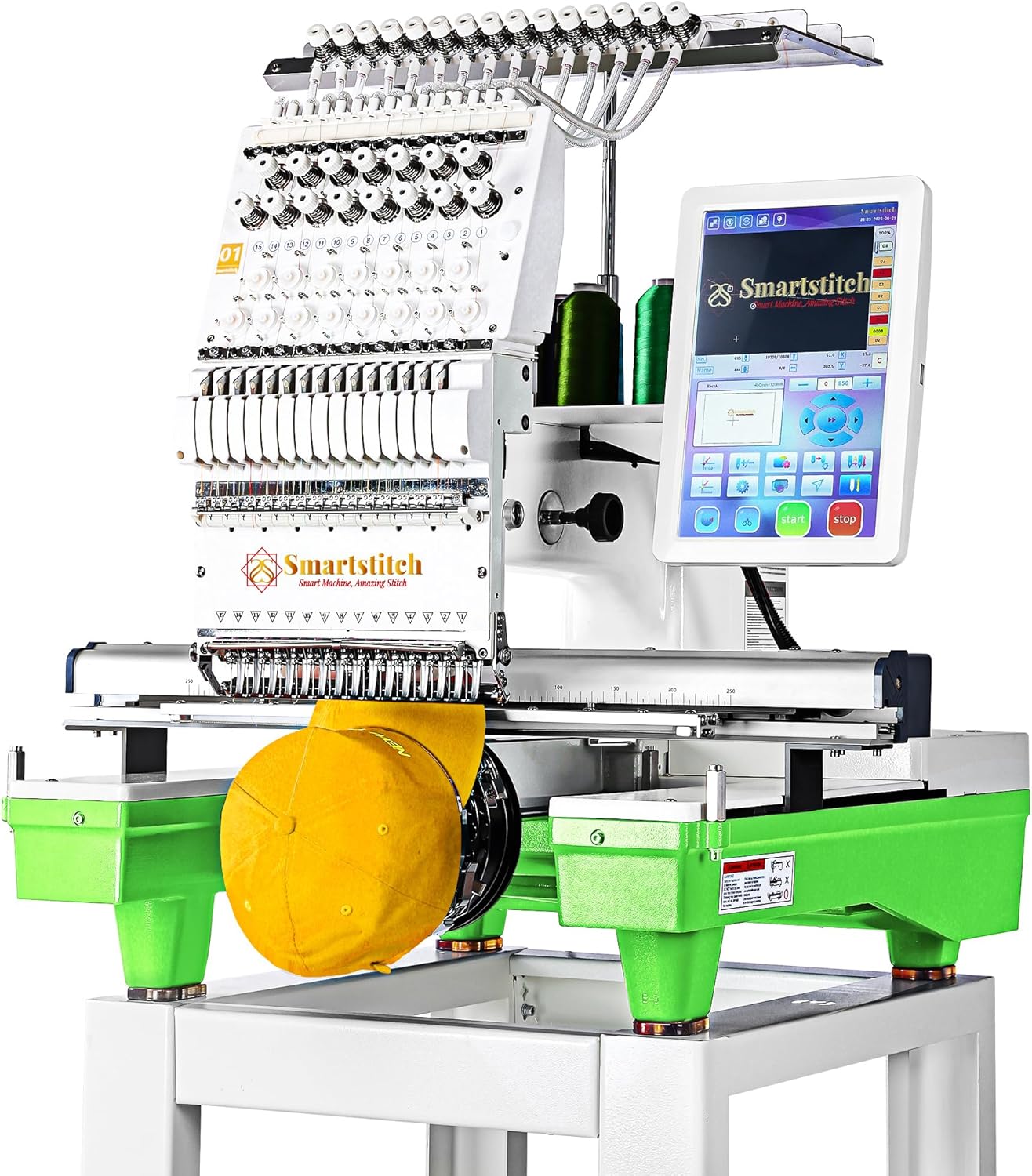
- 9. 7 Smartstitch S-1501 - best Commercial Embroidery Machine
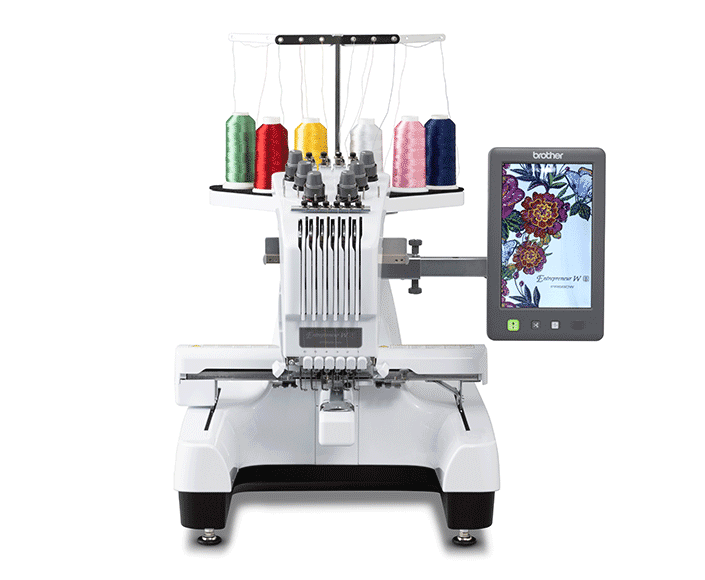
- 10. 8 Brother PR680W - best Multi-Needle Embroidery Machine
- 11. Which Embroidery Machine Should You Buy?
- 12. Still Not Sure Which Embroidery Machine Is Right for You?
- 13. Complete Embroidery Machine Buying Guide
- 13.1. Advanced & Professional Embroidery Machines
- 13.2. Embroidery-Only vs Sewing & Embroidery Combination Machines
- 13.3. Understanding Embroidery Hoop Sizes
- 13.4. Built-in Designs: Nice Bonus or Essential Feature?
- 13.5. Touchscreen and Editing Features
- 13.6. USB vs Wireless Connectivity
- 13.7. Automatic Thread Cutter
- 13.8. Automatic Needle Threader
- 13.9. Embroidery Speed: Faster Isn't Always Better
- 13.10. Software Compatibility
- 13.11. Understanding Embroidery File Formats
- 13.12. How Much Embroidery Area Do You Really Need?
- 13.13. Ongoing Ownership Costs
- 13.14. Embroidery Machine Maintenance and Care
- 13.15. Common Mistakes to Avoid When Buying an Embroidery Machine
- 14. Embroidery Machine Brands Compared
- 15. Frequently Asked Questions
- 15.1. What's the best embroidery machine for a complete beginner?
- 15.2. Should I buy an embroidery-only machine or a sewing-and-embroidery combo?
- 15.3. How big of an embroidery area do I actually need?
- 15.4. Is a more expensive embroidery machine always the better choice?
- 15.5. Does the embroidery file format my machine uses matter?
- 15.6. What other costs should I budget for beyond the machine itself?
- 16. Final Thoughts
Comparison Table
If you’re short on time, these are our favorite embroidery machines for different needs.
Why You Can Trust The Sewing Advisor
Buying an embroidery machine is a real investment, and getting it wrong is frustrating. A machine with a small embroidery area can feel limiting within months, and paying for advanced features you never use can waste hundreds of dollars.
At The Sewing Advisor, our goal isn’t to recommend the most expensive machine or the one with the longest feature list. We focus on matching each recommendation to a specific type of user, a specific budget, and specific projects, because the best embroidery machine for a beginner personalizing onesies isn’t the best machine for someone building an Etsy shop.
Every recommendation in this guide is based on manufacturer specifications, feature comparisons, and the practical, everyday ownership factors covered throughout this article, including reliability, ease of use, hoop sizes, software compatibility, and long-term value. Rather than ranking machines by price alone, we compare how well each model solves real problems for different types of embroiderers.
Our Editorial Process
Every machine featured in this guide was evaluated against the same set of questions, so the recommendations stay consistent rather than shifting from one review to the next:
- Is this machine easy to learn?
- Will the embroidery area meet future project needs, not just today’s?
- How versatile is it across different types of embroidery?
- Does it offer good long-term value?
- Are replacement hoops and accessories easy to find?
- Is the software and file-format ecosystem beginner-friendly?
- Does it offer features that justify its price, rather than features for their own sake?
Instead of recommending one machine to everyone, we matched each pick to a specific type of user.
Who This Guide Is For
This guide is built for anyone shopping for an embroidery machine, whether you’re completely new to embroidery or ready to upgrade. It’s especially useful if you:
- Are buying your first embroidery machine
- Want to upgrade from a basic 4″ × 4″ machine
- Need one machine for both sewing and embroidery
- Plan to start selling embroidered products on Etsy or elsewhere
- Want to compare Brother, Janome, Bernina, and other leading embroidery brands
- Need help deciding what embroidery area and features actually fit your projects
If any of that sounds like you, this guide will help you narrow the field and choose with confidence.
How We Evaluate Embroidery Machines
No single embroidery machine is perfect for everyone. A retiree personalizing towels has very different needs from an Etsy seller producing hundreds of embroidered hats a month.
Rather than ranking machines by price or by marketing claims alone, we compare official manufacturer specifications, documented feature sets, and how each model is discussed by dealers and long-term owners, weighed against the criteria below.
Embroidery Quality
Manufacturer specifications and dealer/owner feedback on stitch consistency, thread handling, and design placement accuracy across common fabric types.
Ease of Learning
Touchscreen navigation, threading systems, automatic features, and how approachable the interface is for someone new to embroidery.
Embroidery Area
The maximum hoop size and how it maps to real projects, from monograms to quilt blocks and jacket backs.
Software & Design Transfer
USB support, wireless connectivity, file-format compatibility, and how easily designs can be imported, organized, and edited.
Reliability
Build quality and thread-handling consistency during long stitching sessions, based on manufacturer documentation and owner-reported experience.
Long-Term Ownership
Replacement hoop and accessory availability, dealer support, and whether a machine is likely to still fit your needs a few years from now.
Overall Value
The balance between price, features, and long-term usability, not just the lowest sticker price.
At a Glance: What We Evaluated
Evaluation Factor | Why It Matters |
|---|---|
Embroidery Quality | Determines stitch consistency and finished results |
Ease of Use | Shortens the learning curve for new users |
Embroidery Area | Controls the maximum design size |
Software Compatibility | Makes importing and editing designs easier |
Reliability | Reduces interruptions during long projects |
Accessories & Support | Simplifies maintenance and future upgrades |
Long-Term Value | Helps avoid replacing the machine too soon |
Detailed Reviews of the Best Embroidery Machines
Not every embroidery machine is built for the same purpose. Some are perfect for learning the basics, while others are designed to handle larger projects or support a growing embroidery business.
The recommendations below were selected because they deliver a strong balance of embroidery quality, ease of use, reliability, and long-term value. Rather than chasing the highest price or the longest feature list, we focused on machines that solve real problems for different types of users.
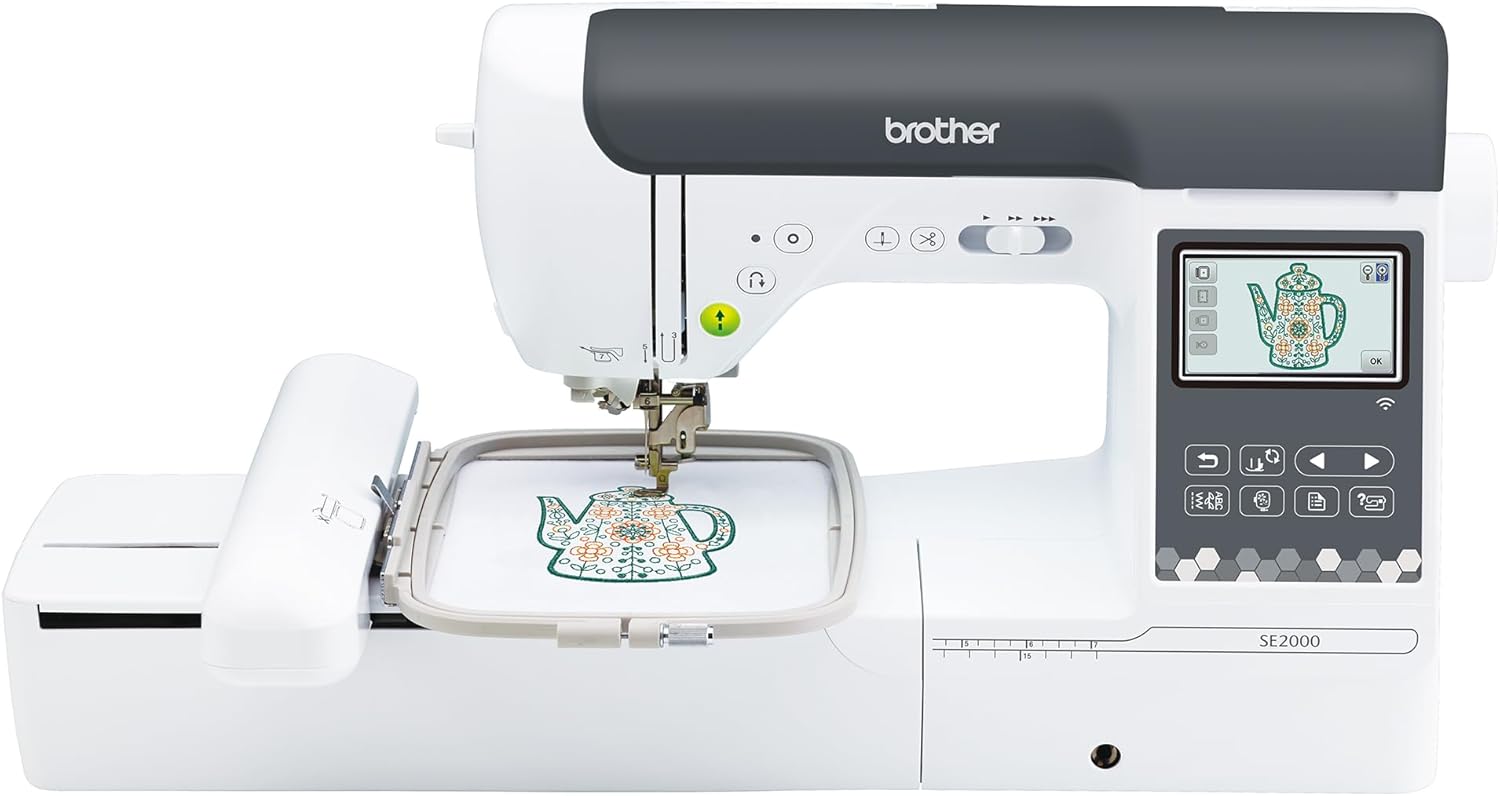
1 Brother SE2000 - best Overall Embroidery Machine
Best For: Hobbyists, growing embroidery enthusiasts, and anyone who wants one machine for both sewing and embroidery.
Juggling a separate sewing machine and embroidery machine gets old fast. The Brother SE2000 removes that hassle by handling both jobs well, combining everyday sewing with genuinely useful embroidery features instead of treating embroidery as an afterthought.
Its generous 5″ × 7″ embroidery area provides enough room for jackets, quilt blocks, tote bags, and decorative home projects without constant rehooping. Wireless design transfer also simplifies the process of adding new embroidery patterns, eliminating the need to carry USB drives back and forth.
Key Specifications
Feature | Details |
|---|---|
Machine Type | Sewing & Embroidery Combo |
Embroidery Area | 5″ × 7″ |
Built-in Embroidery Designs | 193 |
Built-in Sewing Stitches | 241 |
Fonts | 13 embroidery fonts |
Connectivity | USB & Wireless LAN |
Display | Large Color Touchscreen |
Automatic Thread Cutter | Yes |
Pros
- Excellent balance between sewing and embroidery
- Large embroidery field for most home projects
- Wireless design transfer saves time
- Easy-to-use touchscreen interface
- Smooth, consistent stitch quality
- Strong upgrade path for growing users
cons
- Not ideal for commercial production
- Larger footprint than embroidery-only machines
- Premium price compared to entry-level models
Why We Recommend It
Many people purchase an entry-level embroidery machine only to replace it a year later when they want larger designs or more advanced features. The Brother SE2000 avoids that problem by providing enough capability to keep pace with your growing skills.
Instead of paying for features designed exclusively for commercial embroidery, you’re investing in a machine that comfortably handles everything from personalized gifts to quilting projects and custom apparel.
Who Should Buy It
Choose the Brother SE2000 if you:
- Want both sewing and embroidery in one machine
- Plan to create gifts, clothing, quilts, and home décor
- Expect your embroidery skills to grow over time
- Prefer modern features like wireless connectivity
Who Should Skip It
This machine may not be the best choice if:
- You only want embroidery and already own a sewing machine
- You’re starting with a very limited budget
- You need a dedicated commercial embroidery machine
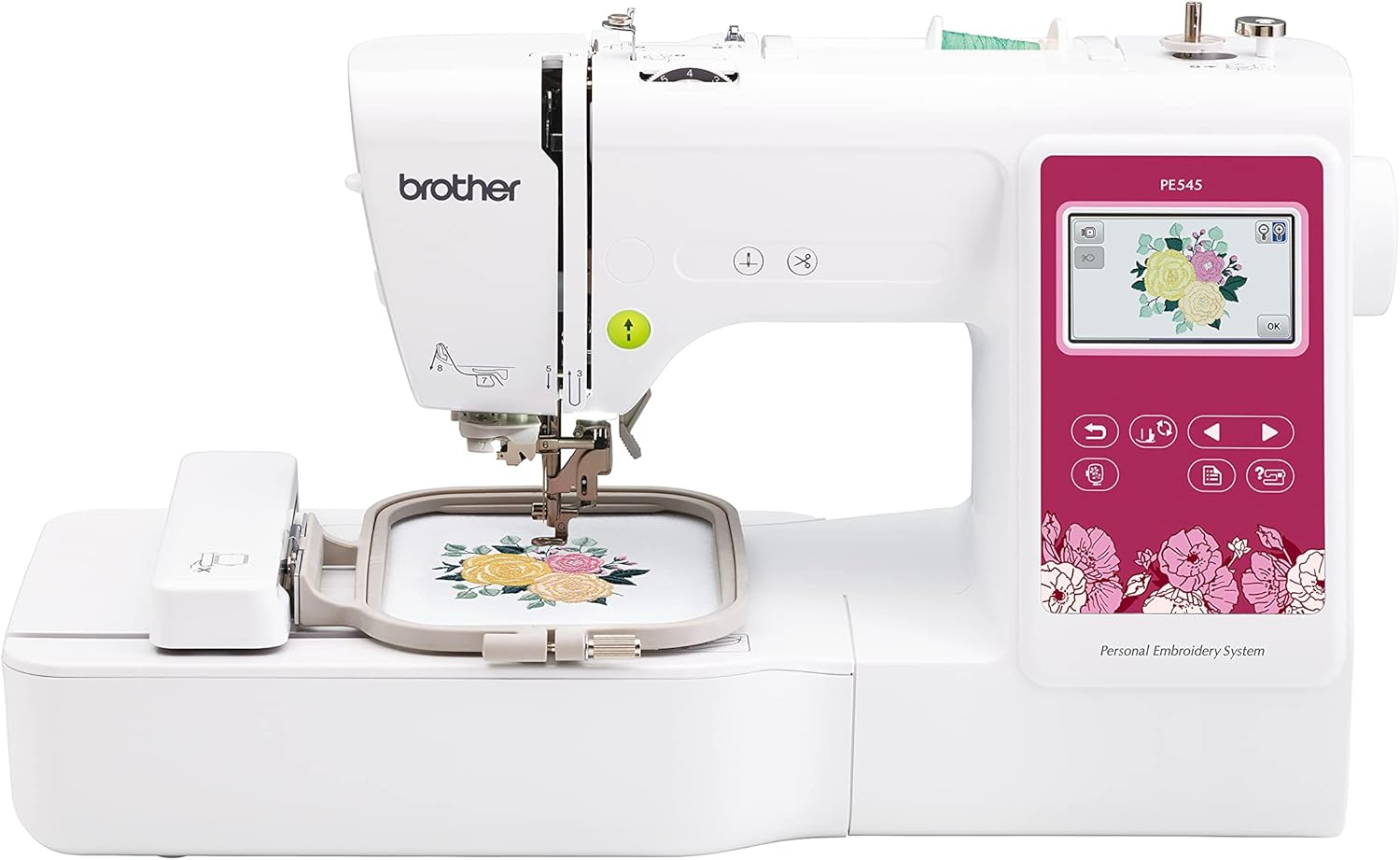
2 Brother PE545 - best Budget Embroidery Machine
Best For: Beginners who want an affordable embroidery-only machine.
Starting embroidery shouldn’t require spending thousands of dollars. The Brother PE545 proves that you can create beautiful embroidered designs without investing in professional equipment.
Its compact design, straightforward controls, and dedicated embroidery functionality make it less intimidating than many combination machines. Since there are no sewing features to learn, beginners can focus entirely on mastering embroidery.
Key Specifications
Feature | Details |
|---|---|
Machine Type | Embroidery Only |
Embroidery Area | 4″ × 4″ |
Built-in Designs | 135 |
Fonts | 10 |
Display | Color LCD Touchscreen |
USB Port | Yes |
Automatic Needle Threader | Yes |
Pros
- Budget-friendly price
- Easy setup for beginners
- Good stitch quality
- Compact footprint
- Includes useful built-in designs
- Reliable Brother ecosystem
cons
- Limited 4″ × 4″ embroidery area
- No wireless connectivity
- Smaller screen than premium models
Why We Recommend It
For many beginners, the biggest obstacle isn’t learning embroidery; it’s justifying the cost of their first machine.
The PE545 removes much of that financial barrier while still providing the features needed to learn digitized embroidery confidently. It’s an excellent option for monograms, baby gifts, towels, napkins, patches, and other smaller projects.
Who Should Buy It
Choose the Brother PE545 if you:
- First-time embroidery users
- Casual hobbyists
- Personalized gift makers
- Anyone with limited workspace
Who Should Skip It
Skip this model if you regularly plan to embroider:
- Jacket backs
- Large quilt blocks
- Oversized designs
- Commercial orders
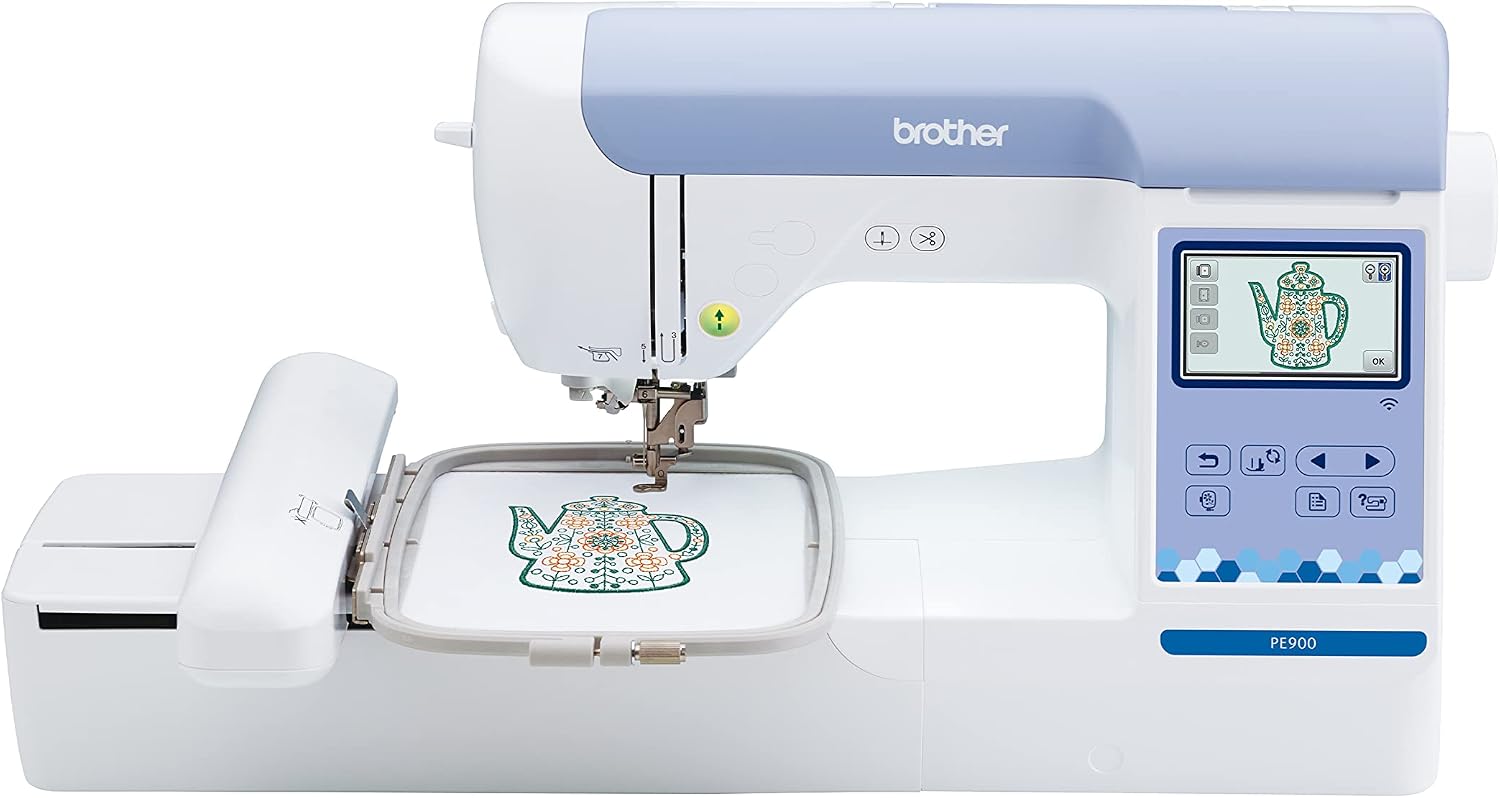
3 Brother PE900 - best Embroidery Machine for Beginners
Best For: Beginners who want room to grow.
A cramped 4″ × 4″ hoop is usually the first thing beginners outgrow. The Brother PE900 heads that off with a larger embroidery field and wireless design transfers, while keeping the interface just as approachable as smaller starter machines.
This machine bridges the gap between affordable starter models and more advanced embroidery systems, making it one of the best long-term investments for hobbyists.
Key Specifications
Feature | Details |
|---|---|
Machine Type | Embroidery Only |
Embroidery Area | 5″ × 7″ |
Built-in Designs | 193 |
Fonts | 13 |
Wireless Connectivity | Yes |
Display | Color LCD Touchscreen |
Pros
- Larger embroidery area
- Wireless file transfer
- Excellent stitch consistency
- Easy navigation
- Beginner-friendly software
cons
- Sewing functions not included
- Costs more than entry-level models
- Limited editing compared to professional machines
Why We Recommend It
Many beginners underestimate how quickly they outgrow a 4″ × 4″ hoop.
The PE900 gives you significantly more flexibility from day one, allowing larger designs while keeping the learning curve manageable.
It’s also one of the stronger long-term value picks in this price range: buyers who start with a smaller hoop often end up paying twice, once for a beginner machine and again for an upgrade a year or two later. The PE900’s larger field and wireless transfer mean it’s likely to stay useful well past your first few projects.
Who Should Buy It
Choose the Brother PE900 if you:
- Serious beginners
- Creative hobbyists
- Gift makers
- Home decorators
- Buyers who don’t want to upgrade again within a year or two
Who Should Skip It
Consider another model if you:
- Need sewing and embroidery together
- Require commercial production speeds
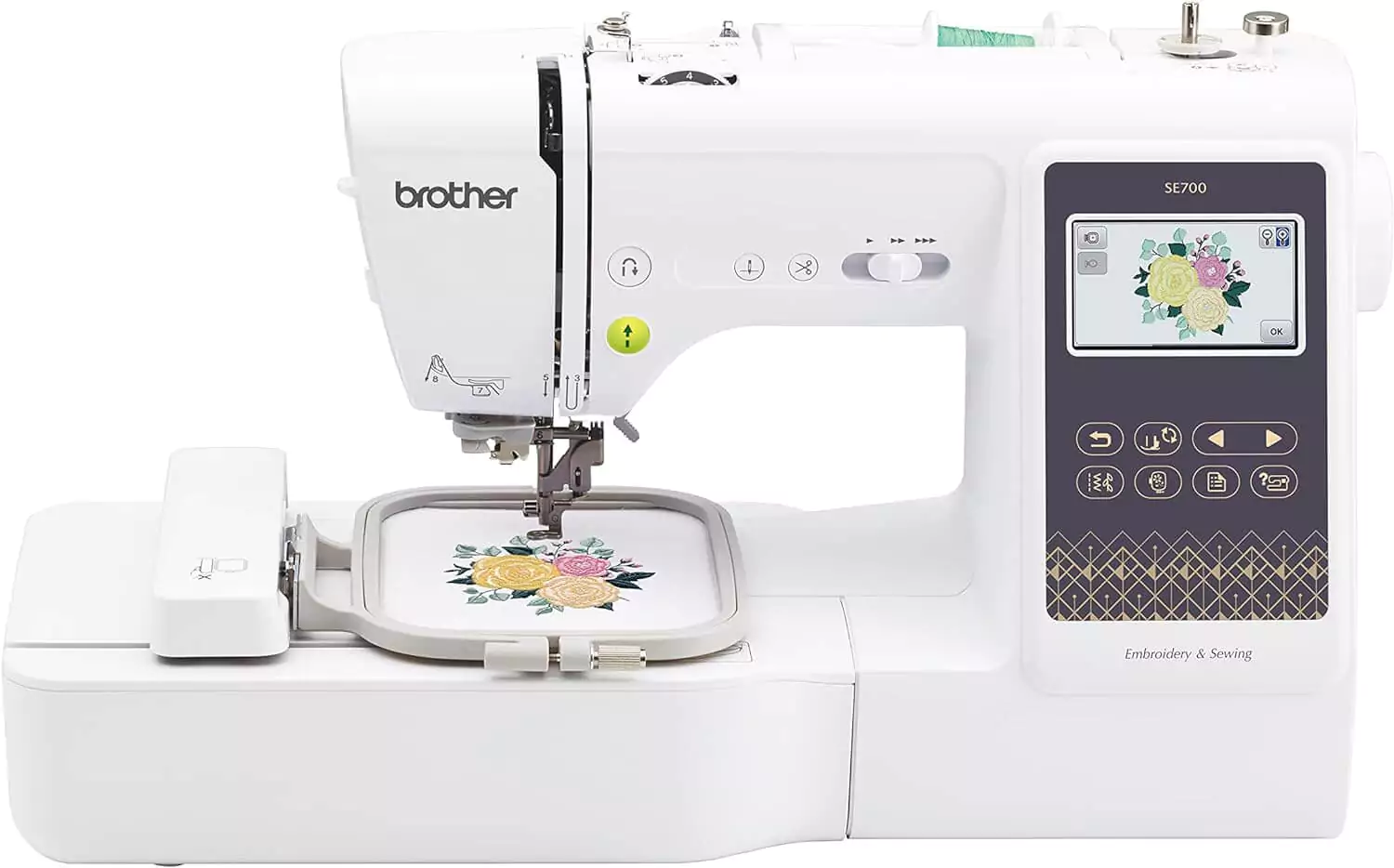
4 Brother SE700 - best Sewing and Embroidery Combination Machine
Best For: Home sewists who also want embroidery.
Not everyone has room, or budget, for two machines. The Brother SE700 combines sewing and embroidery in a single unit, making it a practical solution for smaller spaces and tighter budgets.
Switching between sewing and embroidery is straightforward, allowing you to sew garments one day and personalize them with embroidered designs the next.
Key Specifications
Feature | Details |
|---|---|
Machine Type | Sewing & Embroidery Combo |
Embroidery Area | 4″ × 4″ |
Built-in Embroidery Designs | 135 |
Sewing Stitches | 103 |
Display | Color Touchscreen |
USB | Yes |
Pros
- Excellent value
- Saves workspace
- Easy to learn
- Smooth embroidery quality
- Reliable sewing performance
cons
- Smaller embroidery area
- Not intended for large designs
- Fewer advanced editing tools
Why We Recommend It
If your projects involve both construction and decoration, such as sewing tote bags, children’s clothing, or home décor, the SE700 offers outstanding versatility without requiring two separate machines.
It’s also a practical option for sewists who already own a basic sewing machine and simply want to add embroidery, since it lets both skills grow together on one machine instead of splitting your budget across two.
Who Should Buy It
Choose the Brother SE700 if you:
- Home sewists
- Beginners
- DIY crafters
- Small creative spaces
- Sewists ready to add embroidery without buying a second machine
Who Should Skip It
Choose a dedicated embroidery machine instead if embroidery is your primary focus.
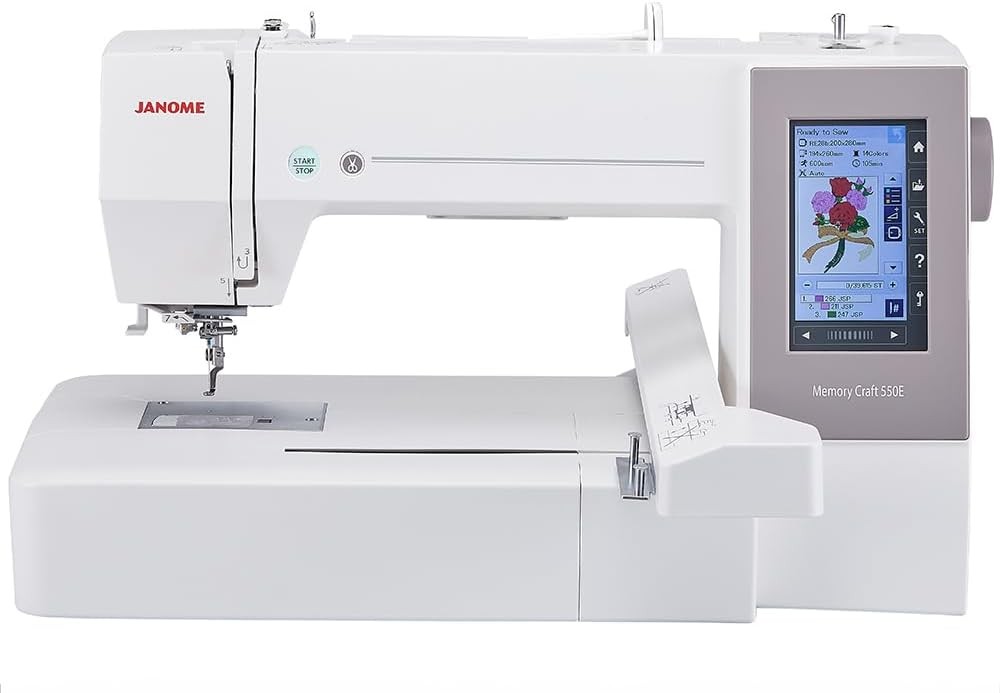
5 Janome Memory Craft 550E - best Embroidery Machine for Home Business
Best For: Etsy sellers, side businesses, and serious embroidery enthusiasts.
As your embroidery projects become larger and more frequent, efficiency matters just as much as stitch quality. The Janome Memory Craft 550E is designed for users who need a spacious embroidery area, dependable performance, and workflow features that support higher production without stepping into the cost of industrial equipment.
Its large maximum embroidery field allows you to stitch bigger designs with fewer rehooping steps, making it well suited for jackets, quilts, home décor, and personalized products that require larger layouts.
Key Specifications
Feature | Details |
|---|---|
Machine Type | Embroidery Only |
Maximum Embroidery Area | Up to 7.9″ × 14.2″ |
Built-in Designs | 180 |
Fonts | 6 |
Display | Full-Color Touchscreen |
USB Port | Yes |
Automatic Thread Cutter | Yes |
Pros
- Large embroidery area for oversized projects
- Consistent stitch quality on long embroidery runs
- Intuitive touchscreen controls
- Excellent choice for frequent use
- Supports a wide range of creative projects
cons
- Higher price than entry-level machines
- Larger footprint requires more workspace
- Sewing functions are not included
Why We Recommend It
For users turning embroidery into a side business, time and flexibility become increasingly important. The Memory Craft 550E reduces interruptions by accommodating larger designs and delivering dependable performance during longer stitching sessions.
Rather than paying for a commercial multi-needle machine too early, this model offers a practical step up for ambitious hobbyists and small business owners.
Who Should Buy It
Choose the Janome Memory Craft 550E if you:
- Etsy shop owners
- Home-based embroidery businesses
- Quilters working with larger motifs
- Experienced hobbyists ready to upgrade
Who Should Skip It
You may want to consider another option if you:
- Are just learning embroidery
- Need sewing and embroidery in one machine
- Have a limited budget or workspace
How to Choose Between These Top Picks
If you’re still unsure which machine fits your needs, here’s a quick guide:
| If You… | Choose… |
|---|---|
| Want the best all-around machine | Brother SE2000 |
| Need an affordable embroidery-only machine | Brother PE545 |
| Are a beginner who wants room to grow | Brother PE900 |
| Want both sewing and embroidery | Brother SE700 |
| Plan to sell embroidered products | Janome Memory Craft 550E |
This comparison highlights that the “best” embroidery machine depends on how you plan to use it. Matching the machine to your projects and future goals will provide far greater satisfaction than simply choosing the model with the longest list of features.
Head-to-Head: Brother PE545 vs. Brother PE900
These two are the entry-level machines readers ask about most, so here’s how they stack up directly:
Feature | PE545 | PE900 |
|---|---|---|
Machine Type | Embroidery Only | Embroidery Only |
Embroidery Area | 4″ × 4″ | 5″ × 7″ |
Built-in Designs | 135 | 193 |
Fonts | 10 | 13 |
Wireless Connectivity | No | Yes |
Better For | Casual beginners, small projects | Beginners who want more room to grow |
These two are the entry-level machines readers ask about most, so here’s how they stack up directly:Head-to-Head: Brother SE700 vs. Brother SE2000
Both combine sewing and embroidery, but they’re built for different budgets and ambitions:
Feature | SE700 | SE2000 |
|---|---|---|
Machine Type | Sewing & Embroidery Combo | Sewing & Embroidery Combo |
Embroidery Area | 4″ × 4″ | 5″ × 7″ |
Built-in Embroidery Designs | 135 | 193 |
Sewing Stitches | 103 | 241 |
Connectivity | USB | USB & Wireless LAN |
Better For | Budget-conscious beginners who want one machine | Growing hobbyists who want more room and features |
Advanced & Professional Embroidery Machines
Once you’ve mastered the basics, you may find that your entry-level machine starts to feel limiting. Larger designs require constant rehooping, production becomes slower, and you may want features that improve efficiency or expand your creative options.
If you’re running a home business, quilting oversized projects, or producing embroidery for customers, these models offer capabilities that go beyond beginner-friendly machines.
Home Business Comparison
If you’re comparing these three specifically for a growing shop or side business, here’s the short version:
| Machine | Best For | Why Choose It |
|---|---|---|
| Janome Memory Craft 550E | Growing home businesses | Large embroidery area for custom products |
| Brother NQ1700E | Quilting and oversized embroidery | Excellent for larger home projects |
| Brother PR680W | Established embroidery businesses | Multi-needle productivity with Brother’s premium ecosystem |
| Smartstitch S-1501 | Commercial production | 15 needles, faster workflow, and high-volume output |
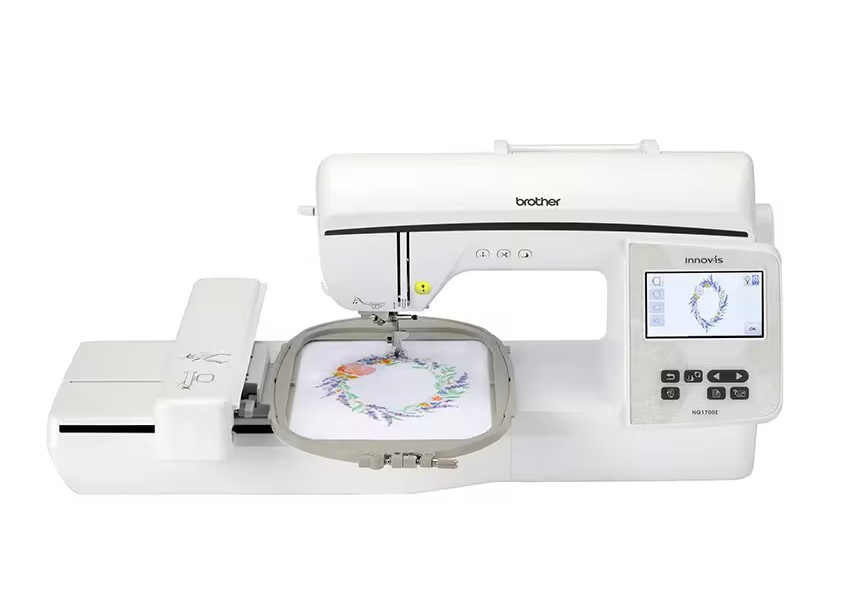
6 Brother NQ1700E - bestEmbroidery Machine for Large Designs
Best For: Quilters, home décor projects, jacket backs, and oversized embroidery.
One of the biggest frustrations with smaller embroidery machines is having to split large designs into multiple sections. Every time you reposition the hoop, there’s an opportunity for slight misalignment.
The Brother NQ1700E addresses that problem with a generous embroidery field that allows you to complete many larger projects in a single hooping. This not only saves time but also improves the finished result.
Key Specifications
Feature | Details |
|---|---|
Machine Type | Embroidery Only |
Maximum Embroidery Area | 6″ × 10″ |
Built-in Embroidery Designs | 258 |
Built-in Fonts | 13 |
Display | Large Color Touchscreen |
USB Connectivity | Yes |
Automatic Thread Cutter | Yes |
Pros
- Spacious embroidery area
- Excellent stitch consistency
- Easy-to-use touchscreen
- Large design library
- Reliable thread handling
- Suitable for quilting projects
cons
- Sewing functions not included
- Larger physical footprint
- More expensive than beginner models
Why We Recommend It
If you’re constantly resizing designs because your hoop is too small, upgrading to a larger embroidery area can transform your workflow.
The NQ1700E offers enough space for jacket backs, quilt blocks, decorative pillows, and larger monograms without moving into the price range of premium commercial machines.
Who Should Buy It
Choose the Brother NQ1700E if you:
- Quilters
- Home décor creators
- Experienced hobbyists
- Users upgrading from a 4″ × 4″ machine
Who Should Skip It
kip this machine if:
- Most of your work is small monograms
- You’re buying your first embroidery machine
- You also need sewing functionality
7 Smartstitch S-1501 - best Commercial Embroidery Machine
Best For: Small embroidery businesses, apparel shops, custom embroidery services, and high-volume production.
Once you’re producing dozens of embroidered products every week, efficiency becomes just as important as stitch quality. Stopping to rethread the machine for every color change slows production and limits how many customer orders you can complete in a day.
The Smartstitch S-1501 solves this problem with a professional 15-needle system that keeps multiple thread colors loaded at the same time. Instead of manually changing threads between colors, the machine automatically switches needles during the embroidery process, dramatically improving productivity and reducing downtime.
Designed for commercial use, the S-1501 offers a large embroidery area, high stitching speeds, and compatibility with a wide range of embroidery file formats, making it a strong choice for businesses producing apparel, hats, jackets, uniforms, bags, and promotional products.
Key Specifications
| Feature | Details |
|---|---|
| Machine Type | Commercial 15-Needle Embroidery Machine |
| Needles | 15 |
| Maximum Embroidery Area | Up to approximately 14″ × 20″ (depending on hoop configuration) |
| Maximum Speed | Up to 1,200 stitches per minute |
| Display | Large Color LCD Touchscreen |
| File Formats | DST and other common commercial formats |
| Connectivity | USB |
Pros
- Professional 15-needle system
- Automatic thread color changes
- Excellent for high-volume production
- Large embroidery field
- High stitching speed
- Suitable for hats, jackets, uniforms, and bulk orders
- Commercial-grade construction
cons
- Significant investment
- Requires dedicated workspace
- More complex learning curve than hobby machines
- Overkill for casual home users
Why We Recommend It
If embroidery has become your business rather than your hobby, production efficiency matters more than having dozens of built-in designs.
The Smartstitch S-1501 is built to reduce manual intervention through automatic color changes, faster stitching speeds, and commercial-grade reliability. These features help businesses complete more orders with less downtime, making it a practical investment for shops that regularly embroider apparel, promotional products, and custom merchandise.
Who Should Buy It
Choose the Smartstitch S-1501 if you:
- Own an embroidery business
- Produce custom apparel or uniforms
- Embroider hats, jackets, and bags regularly
- Need faster production with minimal thread changes
- Want a commercial machine that can grow with your business
Who Should Skip It
Consider another machine if you:
- Are new to embroidery
- Mainly create occasional gifts or home décor
- Need both sewing and embroidery in one machine
- Have limited workspace or budget
8 Brother PR680W - best Multi-Needle Embroidery Machine
Best For: Commercial embroidery, personalization businesses, and high-volume production.
Manually changing thread colors is one of the slowest parts of embroidery, and it only gets worse at commercial volume. Every color change means stopping the machine, rethreading, and restarting the design.
The Brother PR680W solves this by using six needles, each threaded with a different color. The machine automatically switches between colors during embroidery, dramatically reducing production time.
Key Specifications
Feature | Details |
|---|---|
Machine Type | Multi-Needle Embroidery |
Needles | 6 |
Maximum Embroidery Area | 8″ × 12″ |
Wireless Connectivity | Yes |
Positioning System | Crosshair laser positioning |
Display | Large HD Touchscreen |
Pros
- Automatic color changes
- Excellent for production work
- Significantly faster workflow
- Precise laser-guided positioning
- Built for long embroidery sessions
cons
- High purchase price
- Requires dedicated workspace
- More maintenance than single-needle machines
- Overkill for casual hobbyists
Why We Recommend It
If embroidery has become a business rather than a hobby, your biggest challenge is usually efficiency.
The PR680W dramatically reduces downtime by automating thread changes, allowing you to complete more orders with less manual intervention.
Who Should Buy It
Choose the Brother PR680W if you:
- Embroidery businesses
- Personalized apparel shops
- Commercial embroidery services
- High-volume Etsy sellers
Who Should Skip It
Skip this model if:
- You’re embroidering for fun
- You complete only a few projects each month
- You’re learning embroidery
Which Embroidery Machine Should You Buy?
If you’re still undecided, this quick decision chart walks through the same logic as our recommendations below:
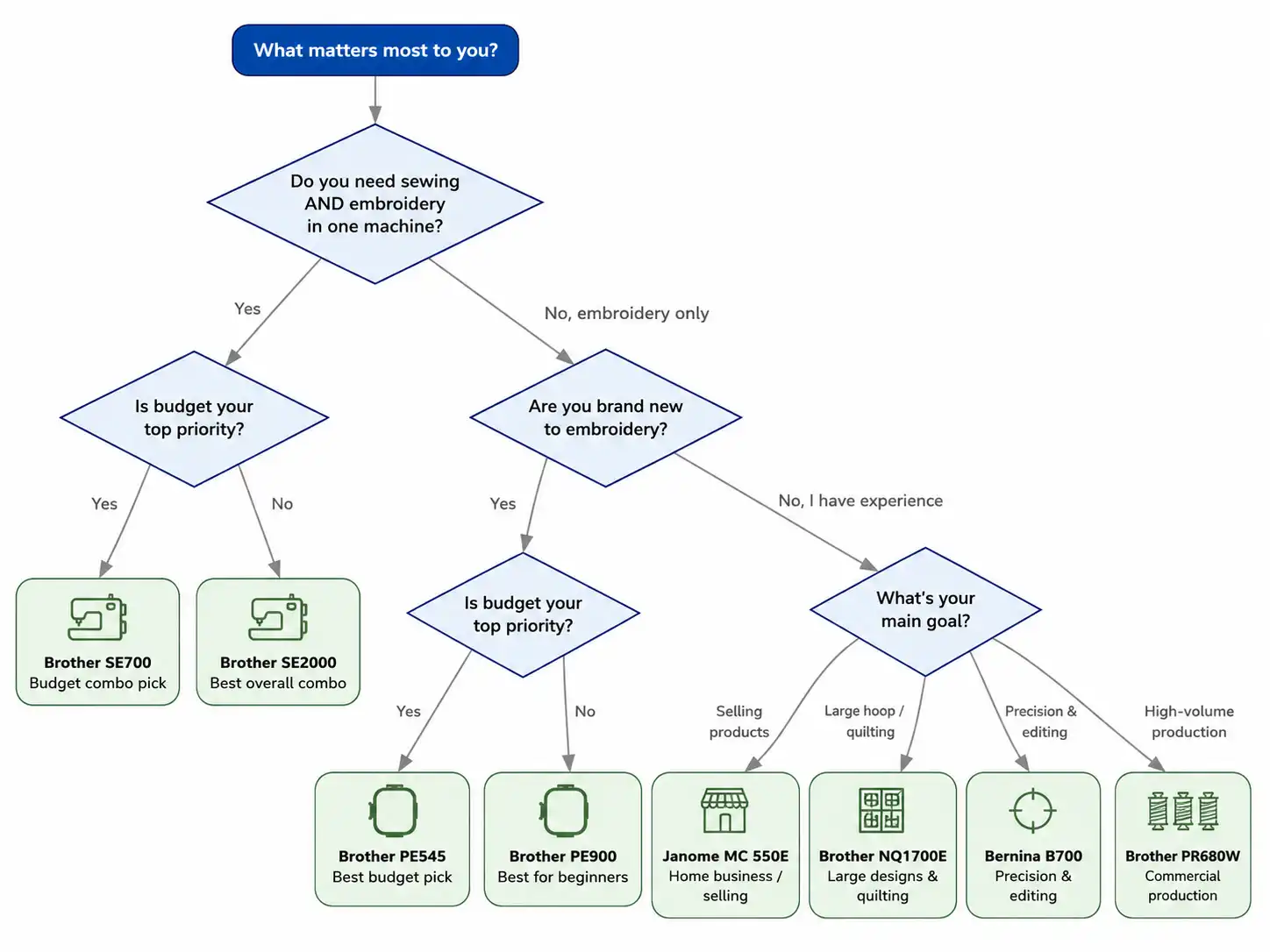
Here’s that same guidance written out:
- Choose the Brother SE2000 if you want the best balance of sewing, embroidery, ease of use, and long-term value.
- Choose the Brother PE545 if you’re looking for an affordable entry point into embroidery.
- Choose the Brother PE900 if you want a beginner-friendly machine with room to grow.
- Choose the Brother SE700 if you need both sewing and embroidery capabilities in one machine.
- Choose the Janome Memory Craft 550E if you’re building a home embroidery business.
- Choose the Brother NQ1700E if your projects regularly include large designs or quilts.
- Choose the Smartstitch S-1501 if you own or plan to start an embroidery business and need professional production speed with automatic multi-needle operation.
- Choose the Brother PR680W if embroidery is a business and production efficiency is your top priority.
Still Not Sure Which Embroidery Machine Is Right for You?
After comparing several strong options, it’s completely normal to still feel undecided. Many of today’s machines share similar features, which makes it hard to know which differences actually matter.
Here’s the good news: the “best” embroidery machine isn’t the one with the largest touchscreen or the biggest library of built-in designs. It’s the one that matches your projects, your experience level, and how you expect your embroidery hobby or business to grow over the next few years.
If you mainly personalize towels, baby clothes, or gifts, paying extra for a large commercial-style embroidery area usually isn’t necessary. If you already know you’ll be quilting oversized blocks, embroidering jacket backs, or selling custom products, starting with a larger hoop can save you from upgrading sooner than expected.
Now that you’ve seen our top recommendations, let’s look at the features that actually matter, so you can choose with confidence rather than guesswork. The guide below covers embroidery area and machine type, software compatibility, ongoing ownership costs, and the features that provide the best long-term value.
Complete Embroidery Machine Buying Guide
Finding the best embroidery machine isn’t about choosing the model with the most built-in designs or the highest price tag. It’s about finding a machine that fits the projects you want to create today while giving you room to grow tomorrow.
Many buyers focus on features they may never use and overlook the ones that will affect every embroidery project. This guide explains what really matters before you spend your money.
Advanced & Professional Embroidery Machines
Before comparing brands or features, work through these five factors:
What will I embroider most often?
Your projects determine the type of machine you need.
For example:
- Baby clothes
- Towels
- Hats
- T-shirts
- Jackets
- Quilts
- Tote bags
- Home décor
- Small business products
If you mainly personalize towels and baby blankets, a smaller embroidery field may be enough. Larger projects like quilt blocks or jacket backs usually require a larger hoop.
How often will I use it?
Someone embroidering once a month doesn’t need the same machine as someone filling Etsy orders every day.
Think about your long-term goals.
- Occasional hobby
- Weekly crafting
- Side business
- Full-time embroidery
Buying for the future often saves money because you won’t need to upgrade as quickly.
Do I already own a sewing machine?
This is one of the easiest ways to narrow your options.
If you already have a sewing machine you’re happy with, an embroidery-only machine often provides the best value.
If you’re starting from scratch, a sewing and embroidery combination machine may be the more practical investment, or you can start with one of the best sewing machines for beginners and add a dedicated embroidery machine later.
What's my realistic budget?
Don’t just budget for the machine.
You’ll also need supplies like:
- Embroidery thread
- Stabilizers
- Extra needles
- Bobbins
- Additional hoops
- Scissors
- USB drive (if needed)
These hidden costs are covered later in this guide.
How much room do I have?
Larger embroidery machines require significantly more workspace.
Remember to leave enough room for:
- Hoop movement
- Fabric support
- Thread stands
- Accessories
Many buyers underestimate how much space embroidery actually requires.
Embroidery-Only vs Sewing & Embroidery Combination Machines
This is one of the biggest decisions you’ll make.
Embroidery-Only Machines
These machines are designed exclusively for embroidery.
Advantages:
- Easier to learn
- Often larger embroidery areas
- Better embroidery workflow
- Great if you already own a sewing machine
Drawbacks:
- Cannot sew garments
- Require a separate sewing machine for construction
Best for:
- Dedicated embroidery enthusiasts
- Existing sewists
- Small businesses
Sewing & Embroidery Combination Machines
These machines switch between sewing and embroidery.
Advantages:
- One machine for both tasks
- Saves workspace
- Excellent value
- Great for beginners
Drawbacks:
- Usually smaller embroidery areas
- Switching between modes takes time
Best for:
- Beginners
- Hobbyists
- Home sewists
- Limited workspaces
Understanding Embroidery Hoop Sizes
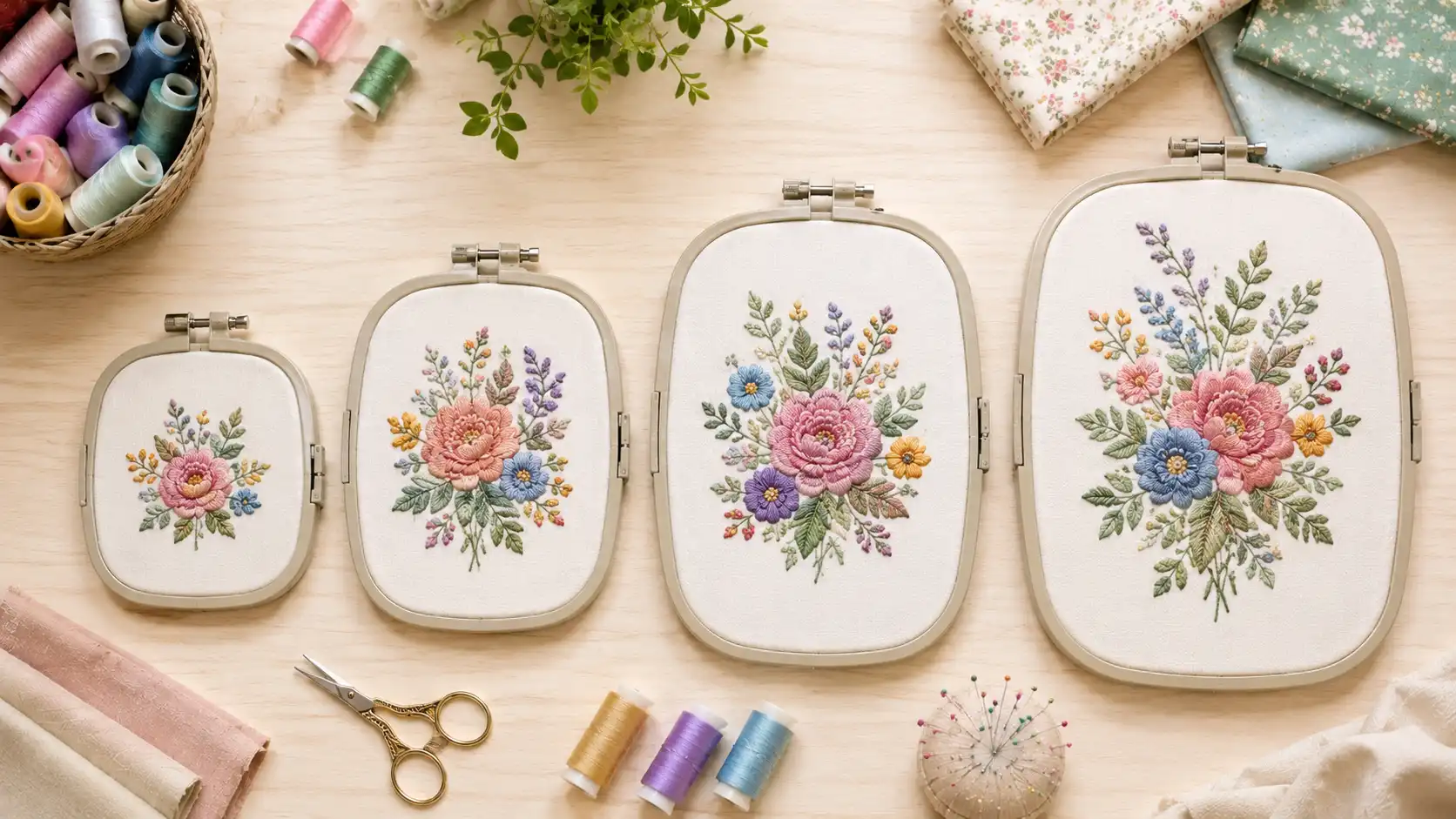
One of the most misunderstood specifications is the embroidery area.
The embroidery area determines the largest design your machine can stitch without repositioning the fabric.
4" × 4"
Perfect for:
- Monograms
- Baby clothes
- Towels
- Small gifts
This is the most common entry-level size.
5" × 7"
Ideal for:
- Tote bags
- Larger shirts
- Decorative pillows
- Children’s clothing
The sweet spot for many home embroiderers. Many users consider this the minimum size for long-term flexibility.
If decorative pillows are on your list, our reading pillow tutorial is a good project to try an embroidered panel on.
6" × 10"
Better suited for:
- Quilt blocks
- Jacket backs
- Home décor
- Medium-sized commercial work
7" × 12" and Larger
Best for:
- Large artwork
- Quilting
- Business production
- Oversized embroidery
These larger hoops reduce the need for rehooping, saving time and improving alignment.
Built-in Designs: Nice Bonus or Essential Feature?
Manufacturers often advertise hundreds of built-in embroidery designs.
While these are useful for learning, they shouldn’t be your deciding factor.
Most embroidery enthusiasts eventually purchase or create additional designs that match their own style and projects.
Instead, pay closer attention to:
- Design import options
- Editing capabilities
- File compatibility
- Available fonts
A machine with fewer built-in designs but better expansion options will often provide more long-term value.
Touchscreen and Editing Features
Modern embroidery machines allow you to edit designs directly on the machine.
Common editing tools include:
- Rotate designs
- Resize within limits
- Mirror images
- Combine multiple designs
- Letter spacing
- Text alignment
If you frequently personalize gifts or monograms, these features can save considerable time.
USB vs Wireless Connectivity
Getting embroidery files onto your machine should be simple.
USB Transfer
Most embroidery machines support USB drives.
Advantages:
- Reliable
- Compatible with nearly all embroidery software
- Simple file management
Wireless Connectivity
Many newer models allow you to transfer designs wirelessly.
Benefits include:
- Faster workflow
- No USB drives
- Easier design organization
If you regularly download new embroidery patterns, wireless connectivity can be a worthwhile convenience.
Automatic Thread Cutter
An automatic thread cutter trims jump threads between embroidery sections.
Benefits:
- Cleaner finished projects
- Less manual trimming
- Faster workflow
While not essential for beginners, it’s a feature many experienced embroiderers quickly come to appreciate.
Automatic Needle Threader
Threading embroidery needles repeatedly can become frustrating, especially during long projects.
An automatic needle threader:
- Saves time
- Reduces eye strain
- Makes embroidery more enjoyable
This feature is especially helpful for beginners.
Embroidery Speed: Faster Isn't Always Better
Many shoppers compare embroidery machines based on stitches per minute (SPM).
While speed matters, consistency matters more.
A slightly slower machine that produces clean stitches with fewer thread breaks will usually outperform a faster machine that requires constant attention.
When comparing machines, balance speed with:
- Stitch quality
- Reliability
- Noise level
- Vibration
- Thread handling
Software Compatibility
Your embroidery machine is only part of the creative process.
Many embroiderers eventually use software to:
- Edit designs
- Combine patterns
- Resize elements within safe limits
- Add lettering
- Organize embroidery files
Before buying a machine, check which software is compatible and whether you’ll need additional software for your workflow.
Understanding Embroidery File Formats
Different brands support different embroidery file formats.
Some of the most common include:
File Format | Commonly Used By |
|---|---|
PES | Brother, Baby Lock |
JEF | Janome |
EXP | Bernina |
DST | Commercial embroidery machines |
VP3 | Husqvarna Viking, Pfaff |
XXX | Various embroidery software programs |
Always confirm that your embroidery machine supports the file formats you plan to use, or that your software can convert them appropriately.
How Much Embroidery Area Do You Really Need?
Bigger isn’t always better.
If your projects are mostly:
- Baby bibs
- Monograms
- Towels
- Napkins
A 4″ × 4″ machine may serve you well.
If you plan to embroider:
- Sweatshirts
- Quilt blocks
- Jacket backs
- Home décor
- Large tote bags
You’ll likely appreciate the flexibility of a larger embroidery field.
Buying the right size from the start can help you avoid upgrading sooner than expected.
Ongoing Ownership Costs
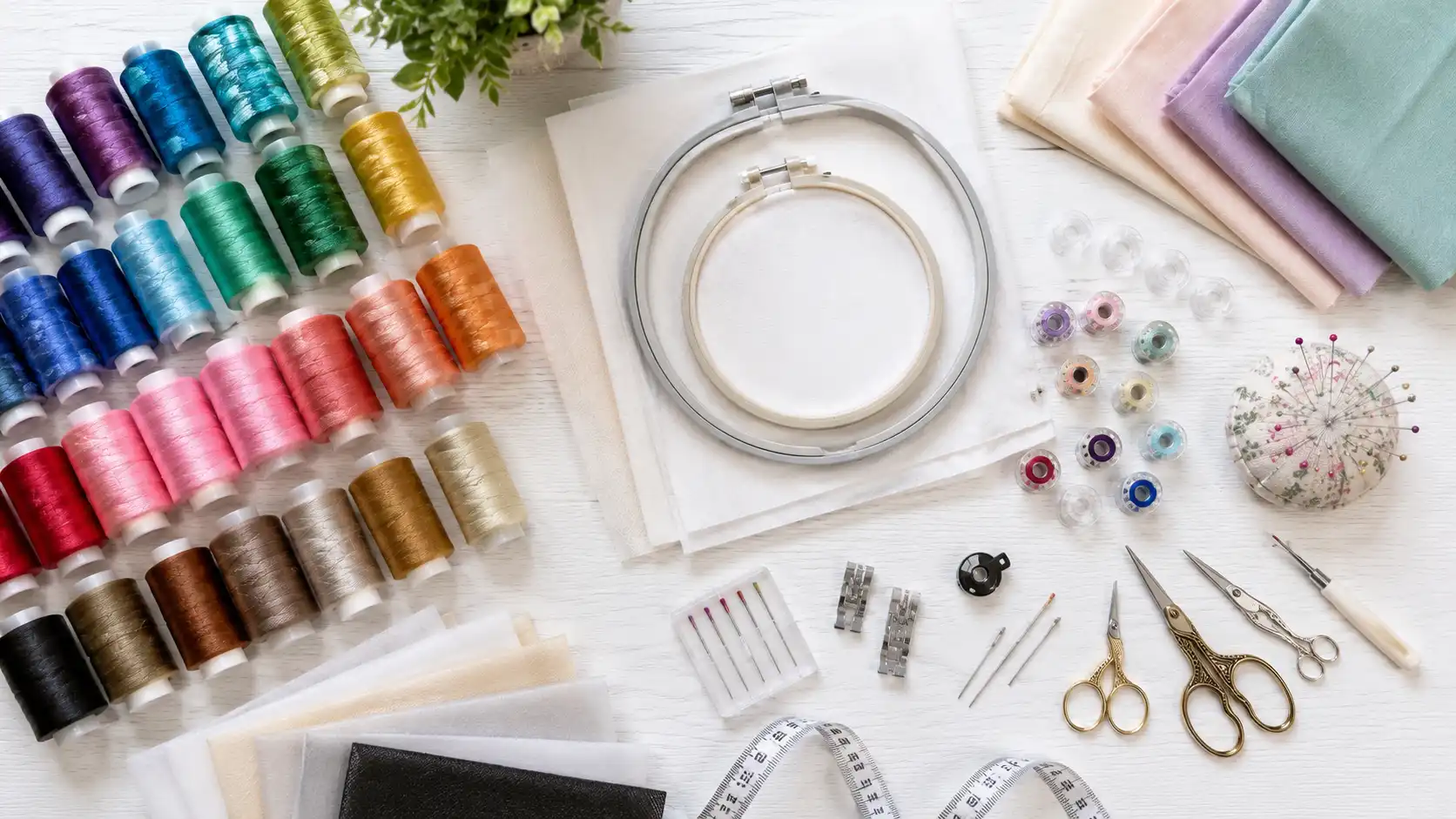
The sticker price on the machine is only part of what you’ll spend. Exact prices vary by retailer, brand, and how often you sew, so treat the categories below as a budgeting checklist rather than a price list, and check current pricing before you commit.
- Embroidery thread: Budget polyester and rayon threads cost less per spool than premium or specialty threads, and larger projects use more thread than you’d expect.
- Stabilizers: Different fabrics need different stabilizer weights, and you’ll go through more of it than beginners usually plan for.
- Needles: Embroidery needles wear out and should be replaced periodically. Budget for a steady supply rather than a one-time purchase.
- Bobbins and bobbin thread: Extra pre-wound bobbins save time and are a recurring, if minor, cost.
- Additional hoops: Most machines ship with one or two hoop sizes. Buying extra sizes later is common as your projects change.
- Designs and software: Some embroidery designs are free, others are purchased individually or through a subscription platform. Editing or digitizing software can be an added cost too.
- Servicing and maintenance: Occasional professional cleaning or tune-ups, especially for heavily used machines, are worth budgeting for.
Embroidery Machine Maintenance and Care
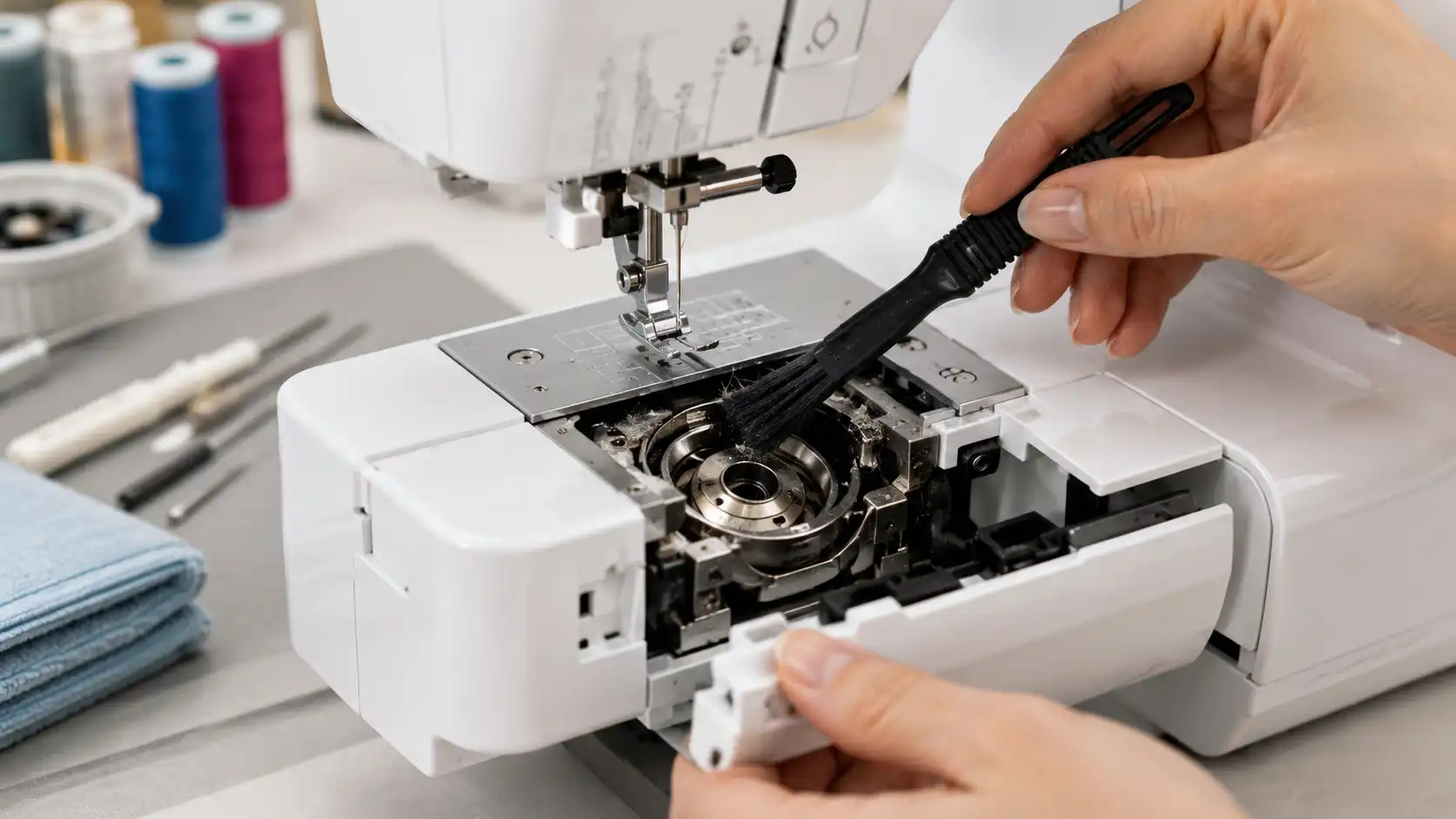
A well-maintained embroidery machine lasts longer and stitches more consistently. None of this is complicated, but it’s easy to skip when you’re excited to start a project.
- Clean the bobbin area and feed dogs regularly: Lint and thread debris build up quickly during embroidery and can affect tension and stitch quality.
- Change needles more often than feels necessary: Many embroiderers swap needles every project or two, or sooner if they notice skipped stitches or fraying thread.
- Follow your manual for oiling and lubrication: Intervals vary by machine, so check the manufacturer’s guidance rather than a generic schedule.
- Keep the machine covered when not in use: Dust is one of the more common, and most preventable, causes of long-term wear.
- Use the right stabilizer and bobbin thread: The wrong combination stresses the machine as well as the fabric.
- Schedule occasional professional servicing: This matters more for machines used heavily for a home business than for occasional hobby use.
- Keep firmware and software up to date: For wireless and computerized models, updates can fix bugs and improve design-transfer reliability.
Common Mistakes to Avoid When Buying an Embroidery Machine
Many first-time buyers make the same avoidable mistakes.
Here are some of the most common:
Wireless Connectivity
The cheapest machine isn’t always the best value if you outgrow it quickly.
Ignoring Hoop Size
A limited embroidery area can become frustrating as your projects become more ambitious.
Overlooking Ongoing Costs
Supplies, accessories, and maintenance are part of the total cost of ownership.
Choosing Too Many Features
Some advanced functions sound impressive but may never be used. Focus on the features that match your actual projects.
Forgetting About Support
A reliable dealer network, replacement parts, and good customer support can be just as important as the machine itself.
Skipping a Test Stitch-Out
Always stitch a sample on your actual fabric and stabilizer before committing to a full project. It catches tension and placement issues while they’re still easy to fix.
Using the Wrong Stabilizer for the Fabric
A stabilizer that’s too light for heavy fabric, or too heavy for a delicate one, is a common cause of puckering and misaligned designs.
Embroidery Machine Brands Compared
One of the first decisions you’ll make isn’t a specific machine; it’s which brand best matches your needs. Every major manufacturer makes quality embroidery machines, but each has developed a reputation for serving different types of users.
Brother
Brother is one of the most popular embroidery machine brands for beginners and hobbyists, thanks to its balance of affordability, approachable software, and modern features like color touchscreens, wireless design transfer, and automatic needle threading. It also offers one of the widest selections of entry-level and mid-range machines, which makes it easy to upgrade within the same ecosystem.
Best for: beginners, hobbyists, sewing-and-embroidery combo machines, and buyers who want strong value. Popular models in this guide: PE545, PE900, SE700, SE2000, NQ1700E, and PR680W.
Janome
Janome machines are known for smooth stitching and generous embroidery areas. They typically cost more than comparable beginner machines, but appeal to users who want more precision and room to tackle larger projects.
Best for: intermediate users, quilters, and home businesses. Popular model in this guide: Memory Craft 550E. If you’re also shopping for a dedicated quilting machine, our guide to the best sewing machines for quilting covers that side of the equation.
Bernina
Bernina has long been associated with premium sewing and embroidery equipment, built for users who value precision, advanced editing, and professional-quality results. Bernina machines represent a significant investment and are often chosen by experienced embroiderers and textile artists working on detailed, high-end projects.
Best for: advanced embroiderers and textile artists who want premium quality and extensive on-screen editing. Popular model in this guide: B700.
Baby Lock
Baby Lock shares some underlying technology with Brother but tends to add premium convenience features and dealer-based support. These machines are popular among dedicated embroidery enthusiasts who value ease of use and personalized service, and generally sit in the upper mid-range to premium end of the market.
Best for: intermediate to frequent embroiderers who prefer buying and getting support through a specialty dealer.
Singer
Singer is best known for sewing machines, but also makes combination sewing-and-embroidery models aimed at home users. Its embroidery lineup is smaller than Brother’s or Janome’s, but it remains a recognizable, familiar brand for sewists who already own Singer equipment.
Best for: casual hobbyists and existing Singer owners who want basic embroidery capability, including owners of popular models like the Singer Heavy Duty 4423.
Smartstitch
Smartstitch specializes in commercial embroidery equipment designed for businesses rather than casual hobbyists. Its machines focus on production speed, multi-needle operation, and long-term durability instead of decorative home-use features.
Many Smartstitch models include multiple needles, large embroidery areas, high stitching speeds, and compatibility with industry-standard embroidery file formats, making them well suited for apparel decorators, embroidery shops, and businesses handling custom orders.
While these machines require a larger investment and a steeper learning curve than most home embroidery machines, they dramatically reduce production time by automatically switching thread colors and handling continuous embroidery with minimal interruptions.
Best for:
- Embroidery businesses
- Apparel decorators
- Uniform manufacturers
- Promotional product companies
- High-volume commercial embroidery
Which Brand Is Best?
There’s no single brand that’s best for everyone.
- Choose Brother if you want the widest selection of beginner-friendly machines with strong value.
- Choose Janome if you need a larger embroidery area and dependable performance for frequent use.
- Choose Bernina if premium precision and advanced editing are your top priorities.
- Choose Baby Lock if you prefer dealer support and premium convenience features.
- Choose Singer if you want a familiar brand for lighter home use.
Ultimately, the best embroidery machine depends less on the logo on the front and more on how well the machine matches the projects you plan to create. For how these same companies stack up on plain sewing machines, see our best sewing machine brands guide.
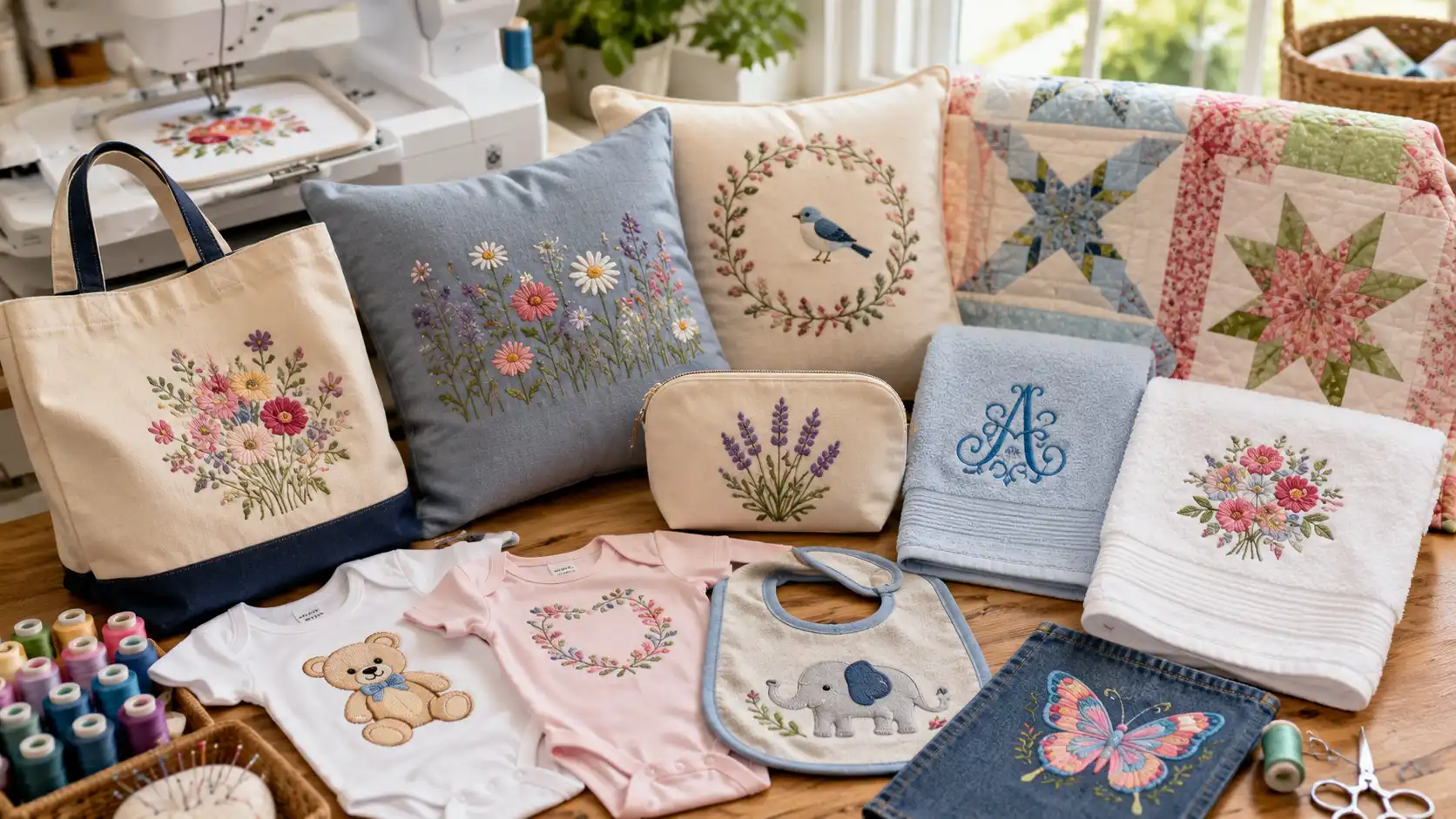
Frequently Asked Questions
What's the best embroidery machine for a complete beginner?
For most first-time buyers, the Brother PE545 or Brother PE900 are the easiest starting points. The PE545 keeps costs down with a 4″ × 4″ hoop and no sewing functions to learn, while the PE900 costs a bit more but gives you a larger 5″ × 7″ field so you’re less likely to outgrow it within the first year.
Should I buy an embroidery-only machine or a sewing-and-embroidery combo?
It depends on whether you already own a sewing machine. If you do, an embroidery-only model usually gives you a larger hoop and simpler workflow for the same price. If you’re starting from nothing, a combination machine like the Brother SE700 or SE2000 saves both money and workspace.
How big of an embroidery area do I actually need?
A 4″ × 4″ hoop comfortably covers monograms, baby clothes, and small gifts. Once you start making tote bags, larger shirts, or decorative pillows, a 5″ × 7″ hoop is worth the upgrade. Quilters and anyone doing jacket backs or oversized designs will get more use out of a 6″ × 10″ hoop or larger.
Is a more expensive embroidery machine always the better choice?
No. The most expensive model on the market isn’t automatically the right fit. A commercial multi-needle machine is overkill for someone embroidering baby gifts on weekends. Match the machine to how often you’ll use it and what you’re actually making, not the price tag.
Does the embroidery file format my machine uses matter?
Yes, to an extent. Brother and Baby Lock machines read PES files, Janome uses JEF, and Bernina uses EXP, among others. Most embroidery design marketplaces sell files in multiple formats, and software can usually convert between them, but it’s worth checking compatibility before you buy designs.
What other costs should I budget for beyond the machine itself?
Plan for embroidery thread, stabilizers, extra needles, bobbins, and additional hoop sizes. These ongoing supply costs are easy to overlook when comparing machine prices, but they’re part of the real cost of getting started.
Final Thoughts
Choose the machine that fits the projects you expect to create over the next three to five years, not just the ones you’re making today. Investing in slightly more capability now can save you from replacing your machine sooner than expected.
Choosing the best embroidery machine isn’t about buying the most expensive model. It’s about investing in the one that matches your projects, your experience, and where you expect to be a few years from now.
If you want one machine that can handle almost anything, the Brother SE2000 remains our top overall recommendation. Beginners on a tighter budget will likely be happiest with the Brother PE545, while serious embroiderers and business owners should look toward larger-field or multi-needle models as their workload grows.
Whichever machine you choose, taking the time to match its capabilities to your actual needs will save money, reduce frustration, and help you enjoy embroidery for years to come.
Allen Miller is the main author of The Sewing Advisor. He’s a whiz with a needle and thread. He spends his time reading, playing football, and writing. You can find more about him here.
Thanks for a marvelous posting! I actually enjoyed reading it, you can be a great author.
I will make sure to bookmark your blog and may come back someday.
I want to encourage you to continue your great work, have a nice evening!